Dynamic Data in ActiveCanvas 0.1.0: Why It's Built This Way
By Giovanni Panasiti
ActiveCanvas 0.1.0 is out, and the big thing in it is dynamic data. Pages that read from your Rails app, or from content lists you edit in the admin, and render through Liquid when a visitor asks for them. This post is about why it’s built the way it is and the four parts that gave me trouble. I’ll skip the parts that just worked.
Why a static CMS wasn’t enough
When I wrote about why I built ActiveCanvas in February, the pitch was editable pages inside your Rails app. It solved the landing page problem. It did nothing for the team page that changes when someone joins, or the pricing table someone keeps in a spreadsheet. Those pages need data, and the data lives in your app or in someone’s head.
So the second half of a CMS is letting a page read data at request time, and letting the person who builds the page say which data goes where. Without a deploy.
Why Liquid
The page has to contain an expression that reads data, and a non-developer has to be able to type it. ERB is out, because ERB is Ruby, and whoever has admin access would be running Ruby on your server. Liquid runs nothing. Shopify has used it for untrusted themes for more than a decade, and {{ member.name }} takes about a minute to learn.
The model around it is small. The host app registers data sources in an initializer, with typed parameters. Admins can define collections in the UI: typed content lists where each item has a draft and a published snapshot, and only the published one renders. A page stores its bindings, names pointing at sources, in a JSON column. At request time the renderer resolves the bindings, hands them to Liquid, sanitizes the output and sends it. That’s the whole pipeline, and I’d have finished it in May if it weren’t for the editor.
Why the canvas holds the source
My first version did the obvious thing. It rendered the page with real data and put the result in the GrapesJS canvas, so designers saw real names in the cards. Each variable got wrapped in a span that remembered its expression, and on save a plugin walked the spans back.
It felt right and it was wrong. Everything that wasn’t a wrapped span got saved as its rendered value. A {{ url }} inside an href became the literal URL. An {% assign %} disappeared. A loop inside a loop hit a non-greedy regex, lost its endfor, and the public page rendered as an HTML comment. I didn’t see any of this for four months because my demo page had one variable and one flat loop.
When I finally sat down and reviewed the branch as if a stranger had written it, this was the first of 27 findings. The fix was a rule I wrote down before touching code: the canvas holds the Liquid source, and anything the editor draws on top is display only. Saving reads the source back out. Nothing the display layer does can reach the saved page. Every hard part below is hard because of that rule, and possible because of it.
Hard part one: loops that survive the HTML parser
Liquid tags are text, and HTML parsers have opinions about where text may go. Put {% for row in rows %} between a tbody and a tr and the parser moves it outside the table, because text isn’t allowed there. GrapesJS parses the page when it loads, and Loofah parses it again when it saves. Each pass moves the tag a little further from where you typed it. My first version was storing loops outside their tables and nobody noticed until a public page showed empty rows.
So loops are no longer text. A loop is an attribute on the element that repeats, and a condition is an attribute on the element that shows:
<tr data-ac-for="plan in plans" data-ac-if="plan.featured">
  <td>{{ plan.name }}</td>
</tr>
Right before Liquid parses, the renderer expands that into {% for %} and {% if %} around the element. An attribute survives every HTML parser I’ve met. It also gives the editor something to hang a UI on: the Settings tab has a “Repeat for each” field and a “Show only if” field, and both just write the attribute. Loop modifiers like limit:2 and reversed go in the same string. The expander refuses anything containing %}, so an attribute can’t break out of the tag it generates.
The sanitizer had a cousin of this bug. It saw {{ url }} inside an href, decided it was a URL, and percent-encoded the spaces. The page saved {{%20url%20}}, which Liquid can’t parse. Now the sanitizer swaps every Liquid tag for a placeholder, sanitizes, and swaps them back. Eleven lines. I’d put them against any other eleven on the branch.
Hard part two: one door for data
Liquid doesn’t escape output. My first version didn’t either. A collection text field went from the database to the visitor’s browser with only the post-render sanitizer’s allow list in between. Worse, the boundary let through any Ruby object that answered to_liquid, so a data source could hand Liquid a live Active Record model and whatever methods came with it.
Now there’s one function every value passes through on its way in. Three kinds of value get through: an escaped scalar, a Drop that exposes only the attributes you listed, and hashes or arrays made of those two. Anything else raises. If you want raw HTML from a field, you name that field in an html: list and it’s on you. Escaping happens once, where the value is produced, and the sanitizer went from being the only defense to being the second one.
The public renderer changed with it. It used to have one error handler for the whole document, so deleting a field from a collection turned every page using it into a fallback comment. Now each variable fails alone. A missing field blanks one value and reports through Rails.error. Preview mode does the opposite and raises with a line number, because the person looking at a preview is the one who can fix it.
Hard part three: showing real data without touching the source
Once the canvas held the source, editors were back to designing cards around {{ member.name }}. That’s exactly what the rendered swap had tried to fix, and I’d just deleted it. The constraint was clear this time: draw whatever you want, change nothing that gets saved.
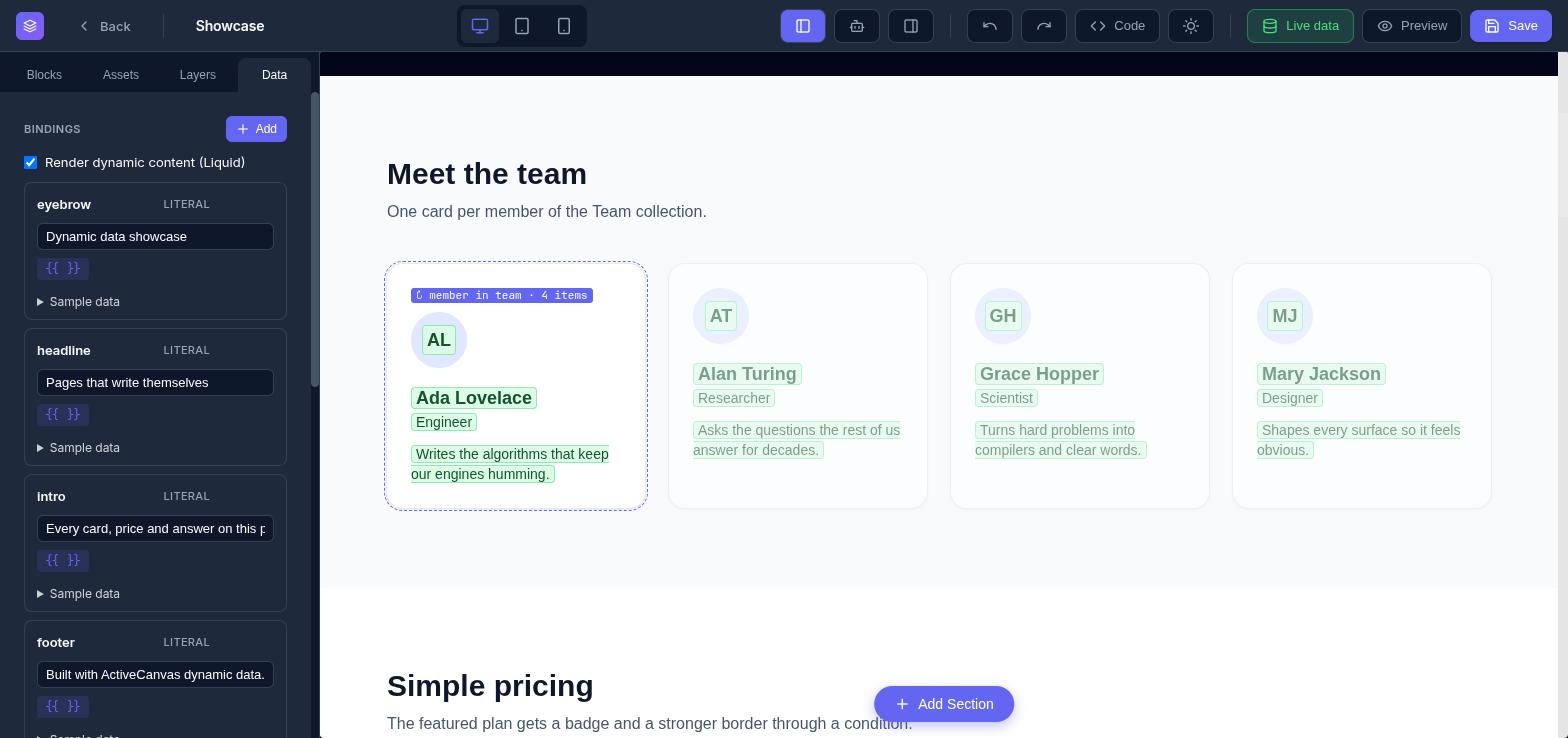
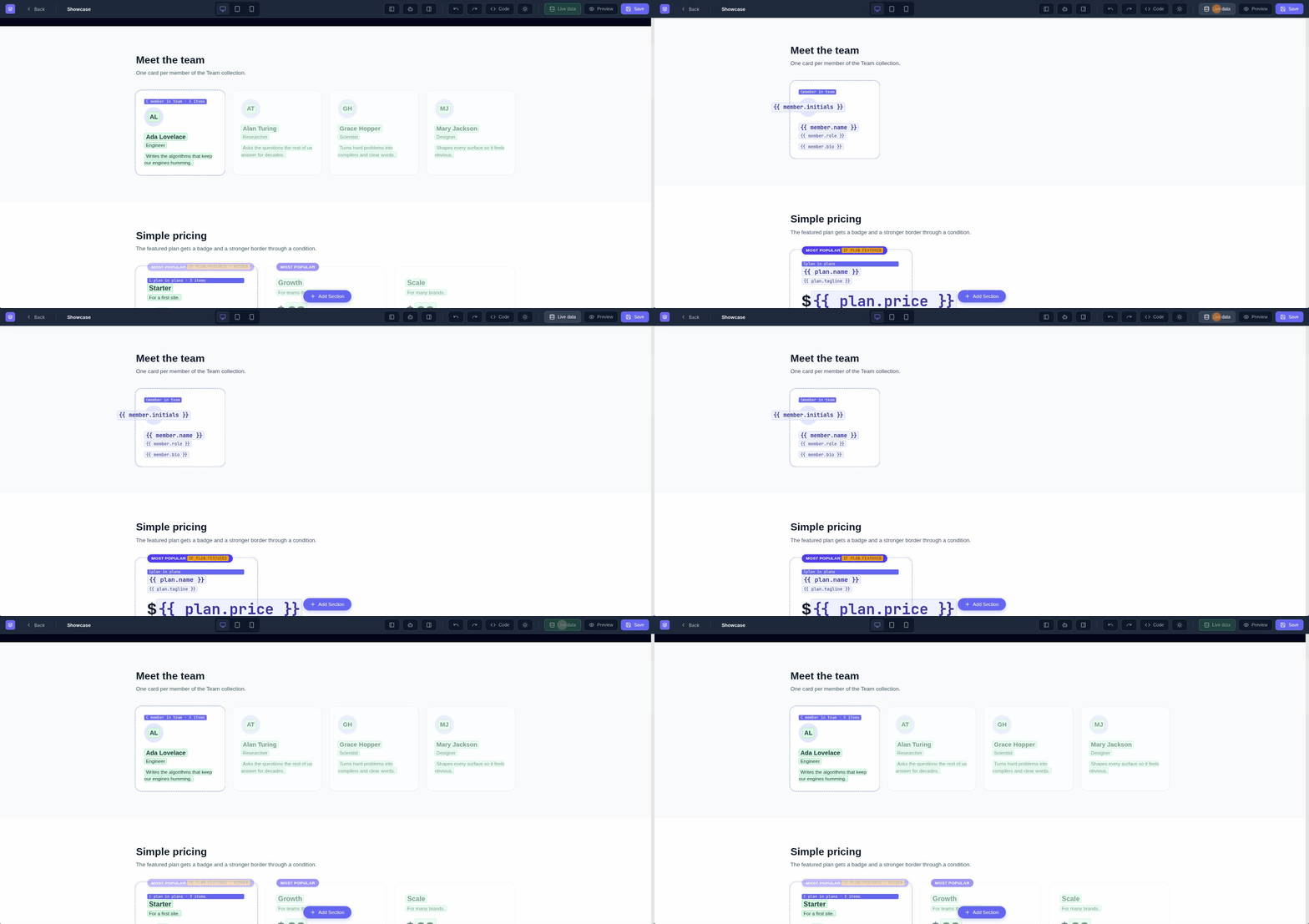
Every variable in text is a chip, a span carrying its expression in a data-ac-source attribute plus an id. A header switch called Live data posts the canvas HTML and the bindings to the server. The server sets every chip’s content to its own expression, renders the whole page once with Liquid, finds the chips again by id in the output, and returns the text each one should show. The editor writes that text into the chip. The attribute stays put, and saving reads the attribute.
Loops needed more than the first item. The same render marks each loop element before rendering, so afterwards the server can find all of its copies in the output. It returns copies two through ten as HTML with every editor marker stripped, and the editor inserts them after the real element as dimmed ghosts you can’t select. Nested loops are scoped to the first copy of the outer one, so an inner loop shows its items once. Conditions come back as a flag per element, and a false one dims the element with a “hidden” badge.
What took longest was making sure ghosts never leak. They’re plain DOM nodes inside the iframe. GrapesJS reparses the DOM after rich text edits, and its getHtml walks the model, so a ghost caught by either path would land in the saved page. Every function that turns canvas into source strips ghosts first, and the rich text handler removes ghost components before it re-decorates. Even the loop count badge is drawn by generated CSS keyed on the attribute value, so nothing gets added to a real element. I tested it the boring way, checking the model and the saved HTML for the ghost attribute after every operation in a real browser. It’s never there.
Hard part four: people who will never open the initializer
The Data tab is where a page binds a name to a source. The panel reads a contract from the server: each source has a label, a kind, a list flag, and typed parameters with ranges and allowed values. A collection’s parameters include its own field ids, so the filter field is a dropdown of real fields, and if that field is a select, the filter value becomes a dropdown of its options. A literal binding shows its value in a text box on its card. Type there and the canvas updates through Live data within a second. Every card has a pencil that reopens the form prefilled.
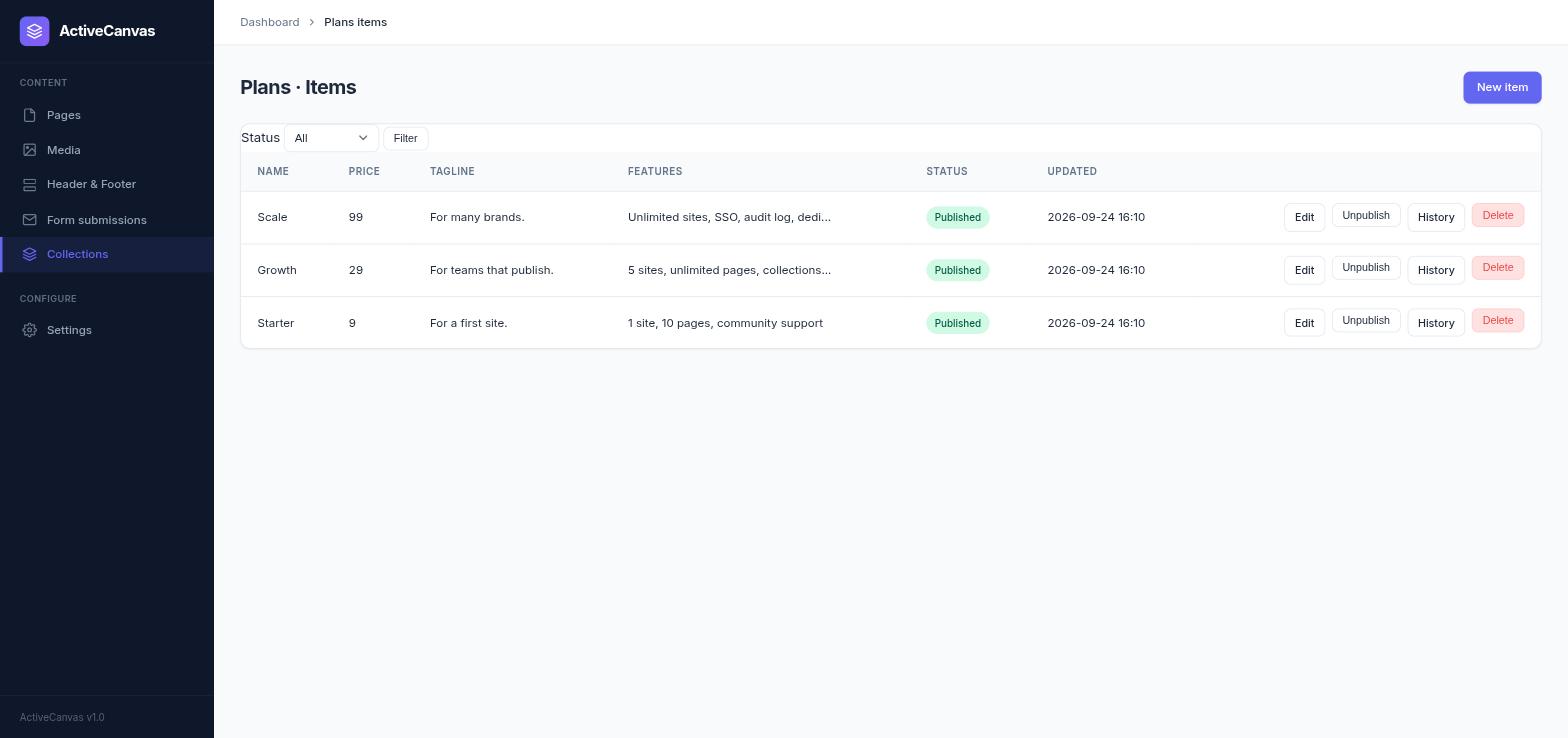
Collections are for the people who will never touch code. Fields have typed values and ids that never change, so you can rename a label safely. Publishing takes a row lock, re-coerces the draft through the schema, refuses if a required field is blank, and records a version.
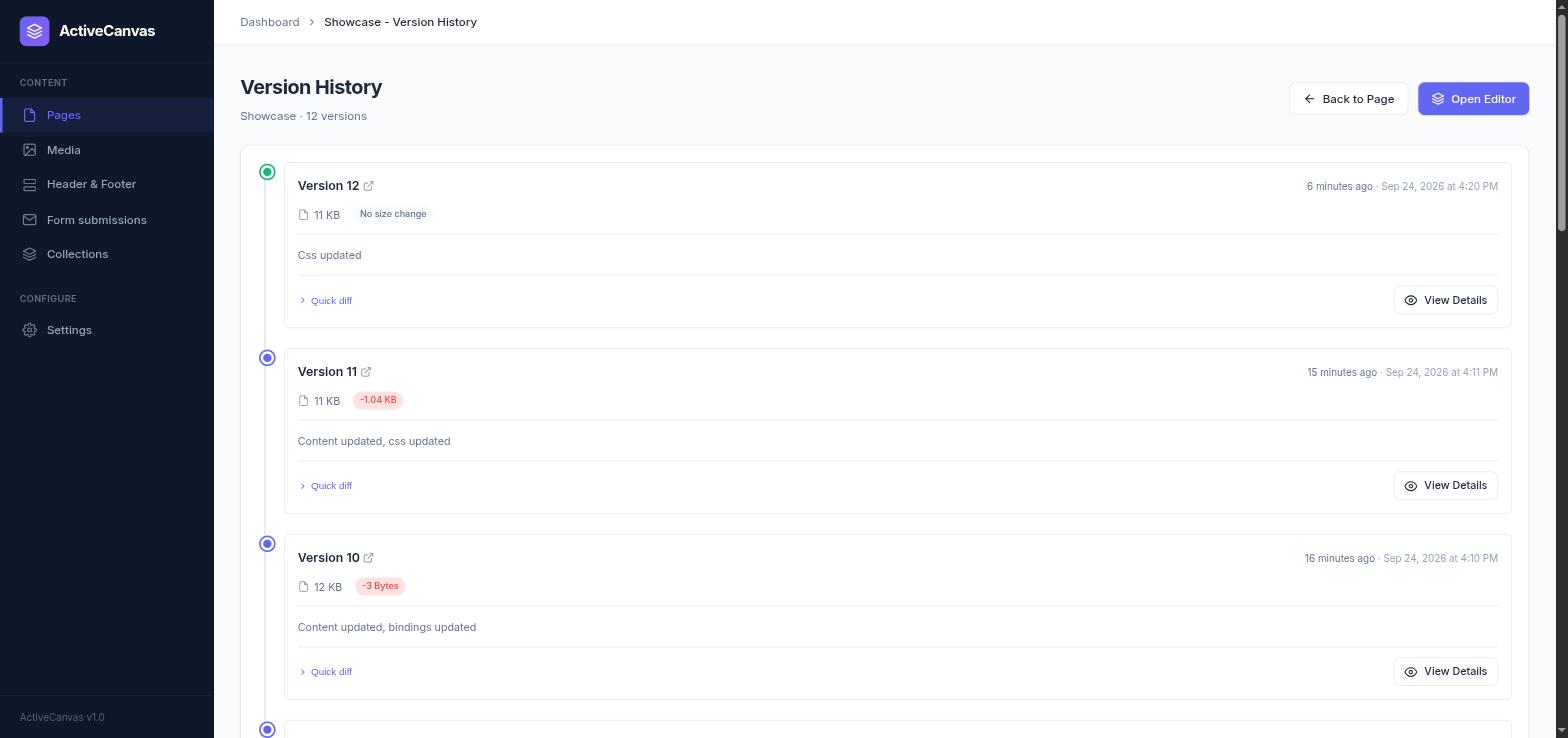
Pages get versions too. Every save has a size delta and a diff, so the whole rework is still there to read.